
Inventory Management
How Inventory Management Software Helps Small Businesses Reduce Stock Problems
Poor inventory management can lead to overstocking, stockouts, and unnecessary losses. Learn how inventory management software can help Indian businesses track products, manage stock movements, and keep inventory under better control.
MasterInvoice Team · 4 Sept 2026 · 4 min read
For any product-based business, inventory is one of its most important assets.
Whether you run a retail shop, wholesale business, distribution company, or growing store, knowing what you have, what you sold, and what you need to purchase is essential.
Yet many small businesses still manage inventory using notebooks, spreadsheets, or manual calculations.
This may work when the business is small. But as the number of products and transactions increases, keeping stock accurate becomes much harder.
That is where inventory management software can make a significant difference.
What Is Inventory Management Software?
Inventory management software helps businesses maintain organized records of their products and stock.
Instead of manually updating stock after every transaction, the system can connect inventory with business activities such as sales, purchases, returns, and adjustments.
A business owner can then get a clearer view of available stock without checking multiple registers or spreadsheets.
Common Inventory Problems Faced by Small Businesses
Stockouts
A product may be selling well, but if you don't notice that its stock is running low, you can suddenly run out.
This can result in missed sales and unhappy customers.
Overstocking
The opposite problem is ordering more products than necessary.
Excess inventory can block working capital and increase the risk of slow-moving or outdated stock.
Incorrect Stock Records
Manual entries can easily lead to mistakes.
One missed sale or incorrect quantity can create a difference between your actual physical stock and the stock shown in your records.
Difficulty Tracking Product Variants
Businesses may sell the same product in different sizes, colors, units, or variants.
Managing these variations manually can become complicated, particularly when the business has hundreds of products.
How Software Makes Inventory Management Easier
A connected inventory system can reduce much of this manual work.
When a product is sold, the corresponding inventory record can be updated as part of the sales workflow.
Similarly, purchase transactions can increase available stock.
This creates a connected flow:
Purchase → Stock In → Sale → Stock Out → Updated Inventory
Instead of maintaining each step separately, the business can manage them through a centralized system.
Inventory and Billing Should Work Together
One of the biggest advantages of integrated business software is connecting billing with inventory.
Consider a retail shop selling 20 units of a product.
If billing and inventory are separate, the owner may need to update the stock manually after completing the sale.
With an integrated system, the sale can automatically become part of the inventory movement.
This reduces repetitive data entry and makes it easier to keep records synchronized.
Better Visibility for Business Owners
Inventory software is not only about counting products.
It can help business owners understand their inventory better.
For example, you may want to know:
Which products are currently available?
Which products are running low?
How much stock was purchased?
How much stock was sold?
Which products are moving quickly?
Which products are not selling?
Having this information available makes purchasing and inventory decisions more informed.
How MasterInvoice Helps With Inventory Management
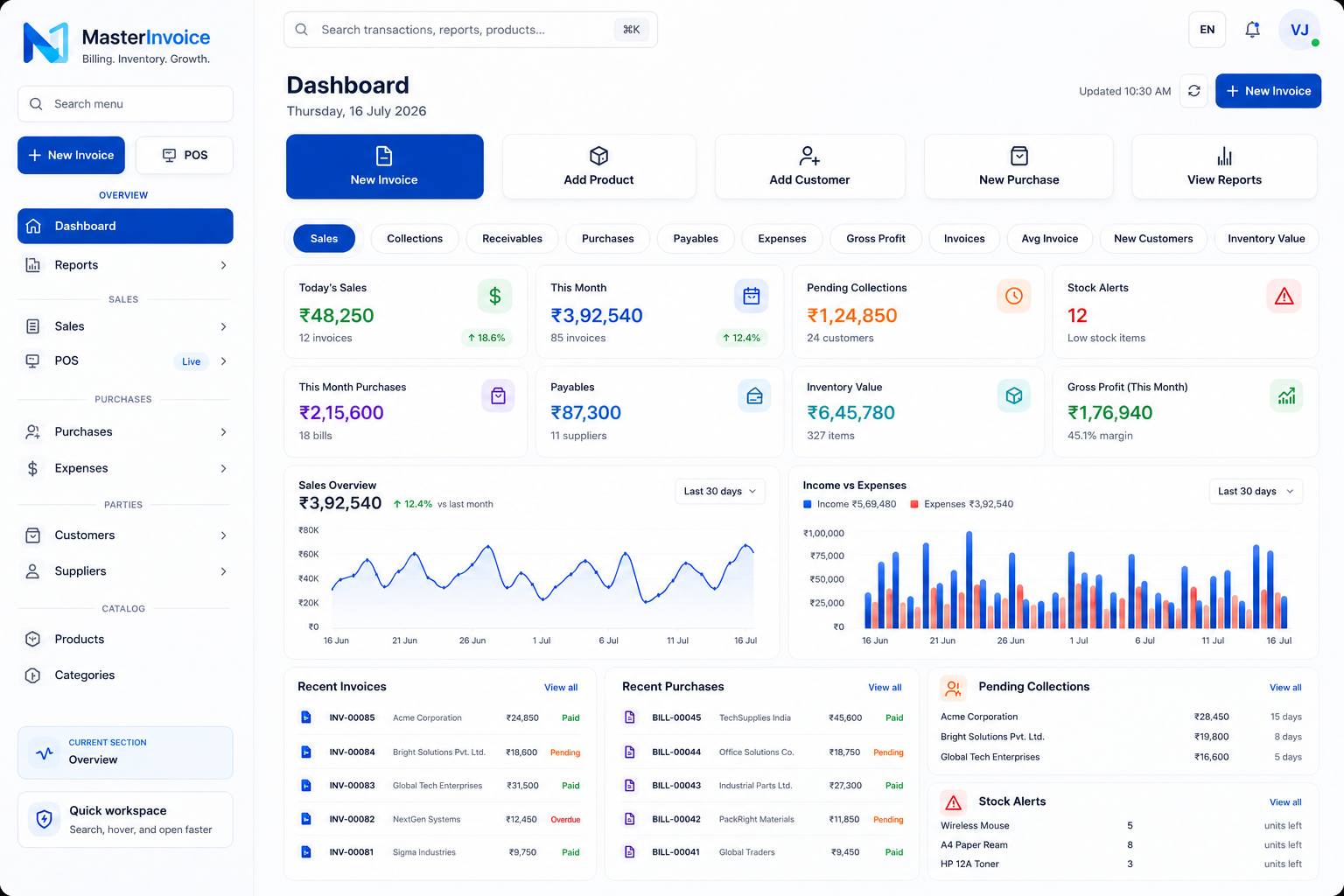
MasterInvoice combines billing and inventory management so businesses don't have to manage these processes separately.
Businesses can maintain product information, manage sales and purchases, track stock movements, and connect inventory with billing workflows.
This is particularly useful for retailers, wholesalers, distributors, and other businesses dealing with physical products.
Because inventory is connected with other business operations, owners can manage more of their daily workflow from one platform.
When Should a Business Move to Inventory Software?
You don't necessarily need to wait until inventory becomes difficult to manage.
If your business is experiencing problems such as:
Frequent stock mismatches
Too much manual data entry
Difficulty finding product information
Regular stockouts
Excess inventory
Multiple employees handling stock
Increasing numbers of products and transactions
then it may be time to move from manual inventory management to dedicated software.
Final Thoughts
Good inventory management is about having the right products, in the right quantities, at the right time.
Manual methods can become increasingly difficult as a business grows. An integrated inventory and billing system can reduce repetitive work, improve visibility, and help businesses maintain more organized records.
With MasterInvoice, businesses can bring billing, inventory, purchases, customers, payments, and business records together in one system.
Better inventory control means fewer surprises, less manual work, and more confidence when making everyday business decisions.
Billing. Inventory. Growth.
Ready to explore MasterInvoice?
See the connected billing, inventory and reporting workflows, or request a focused product walkthrough.